
User Interfaces
# Index
# Description
# Understanding User Interfaces
# Why Are User Interfaces Important?
# Common Elements of a User Interface
# Types of User Interfaces
# User Interfaces Across Devices
# User Interface vs User Experience
# Description:
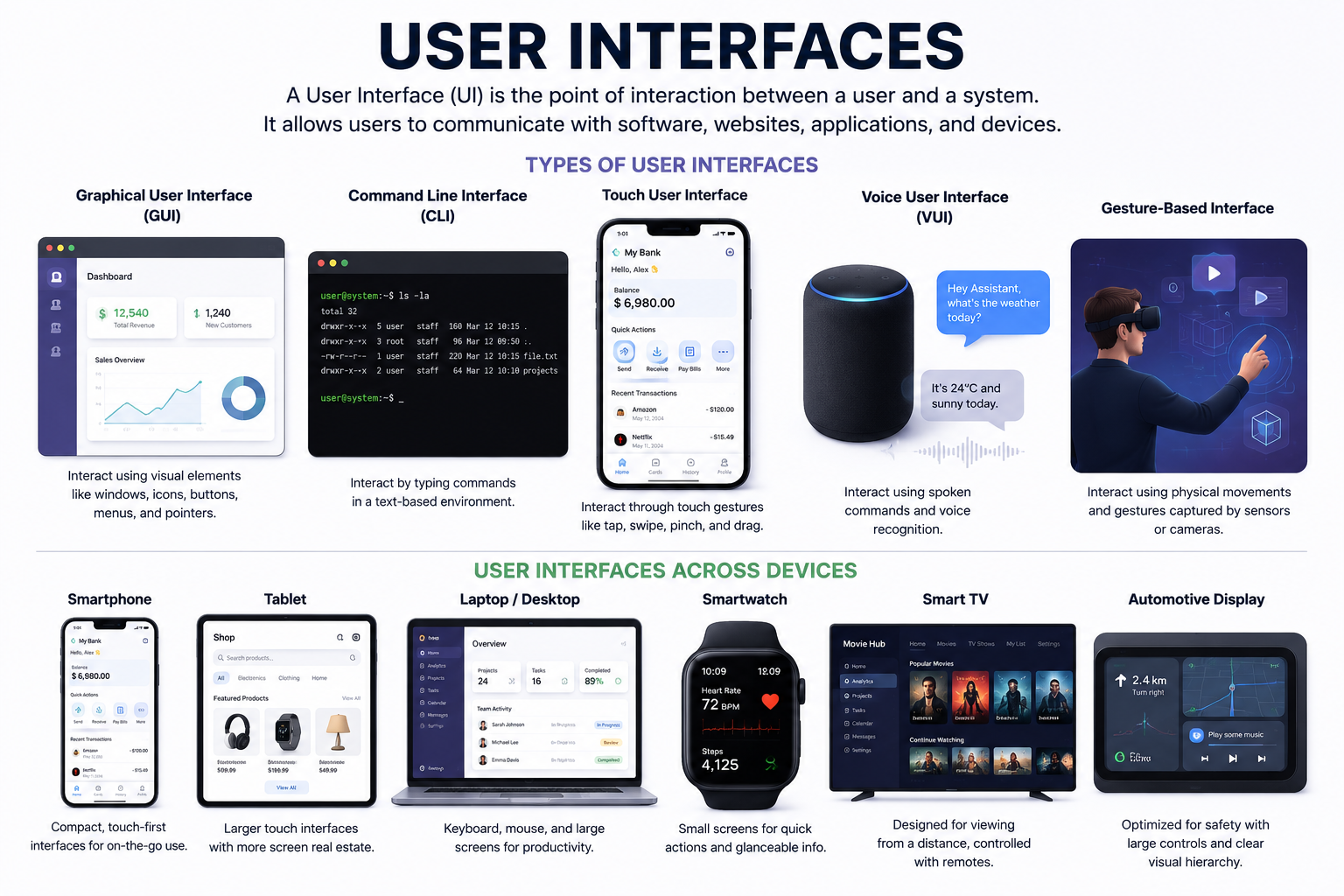
A User Interface (UI) is the point of interaction between a user and a system, application, website, or device. It consists of the visual elements, controls, and layouts that allow users to communicate with software and hardware. Whether using a smartphone, website, smartwatch, ATM, or smart television, users interact with a user interface to perform tasks and access information. A well-designed user interface makes technology intuitive, efficient, and accessible.
# Understanding User Interfaces
Every digital product needs a way for users to interact with it.
Consider a banking application.
Without a user interface, users would have no way to:
- Check account balances
- Transfer money
- View transactions
- Update personal information
The user interface acts as the bridge between people and technology.
# Why Are User Interfaces Important?
A good user interface helps users:
- Navigate easily
- Complete tasks efficiently
- Understand information clearly
- Reduce errors
- Improve productivity
- Enhance user satisfaction
Even powerful software can become difficult to use if the interface is poorly designed.
# Common Elements of a User Interface
Most interfaces contain familiar components.
# Buttons
Allow users to perform actions.
Examples:
- Login
- Submit
- Save
- Delete
# Input Fields
Allow users to enter information.
Examples:
- Name
- Password
- Search
# Navigation Menus
Help users move through an application.
Examples:
- Sidebar menus
- Top navigation bars
- Mobile navigation drawers
# Cards
Display related information in a structured format.
Examples:
- Product listings
- News articles
- User profiles
# Tables
Organize large amounts of data.
Examples:
- Reports
- Financial data
- Employee records
# Modals and Dialogs
Present important information or require user confirmation.
Examples:
- Delete confirmation
- Login popups
- Notifications
# Types of User Interfaces
Over time, user interfaces have evolved into several forms.
# Graphical User Interface (GUI)
The most common type.
Users interact through:
- Windows
- Icons
- Menus
- Buttons
Examples:
- Websites
- Mobile apps
- Desktop software
# Command Line Interface (CLI)
Users interact by typing commands.
Developers and system administrators commonly use CLIs.
# Touch User Interface
Designed for touch-based devices.
Examples:
- Smartphones
- Tablets
- Self-service kiosks
Users interact using gestures such as::
- Tap
- Swipe
- Pinch
- Drag
# Voice User Interface (VUI)
Allows interaction through spoken commands.
Examples:
- Voice assistants
- Smart speakers
- In-car systems
Users communicate using natural language.
# Gesture-Based Interfaces
Use physical movements as input.
Examples:
- Virtual reality systems
- Motion-controlled gaming devices
# User Interfaces Across Devices
Modern interfaces must work across many device types.
# Smartphones
Small screens with touch interactions.
# Tablets
Larger touch screens that support both portrait and landscape layouts.
# Laptops and Desktops
Typically use keyboards, mice, and large displays.
# Smartwatches
Very small screens designed for quick interactions and glanceable information.
Examples:
- Fitness tracking
- Notifications
- Health monitoring
# Smart TVs
Designed for remote controls and viewing from a distance.
# Automotive Displays
Used in modern vehicles for navigation, media, and vehicle controls.
# User Interface vs User Experience
These terms are often confused.
# User Interface (UI)
Focuses on:
- Visual appearance
- Layout
- Components
- Interactions
# User Experience (UX)
Focuses on:
- Ease of use
- User satisfaction
- Efficiency
- Overall experience
A beautiful interface can still provide a poor user experience if users struggle to complete tasks.
Article Metadata:
Published Date: 2026-06-20
Updated Date: 2026-06-20
About the Author: Team absequ is a group of engineers and researchers working on real-world systems, software development, and technology solutions.