
React Server Components: Boundaries, Data and Interactivity
A product page often combines database-backed information with a small interactive control.
- Author
- absequ
- Published
- Updated
- Category
- React
- react server components
- react
- practical guide
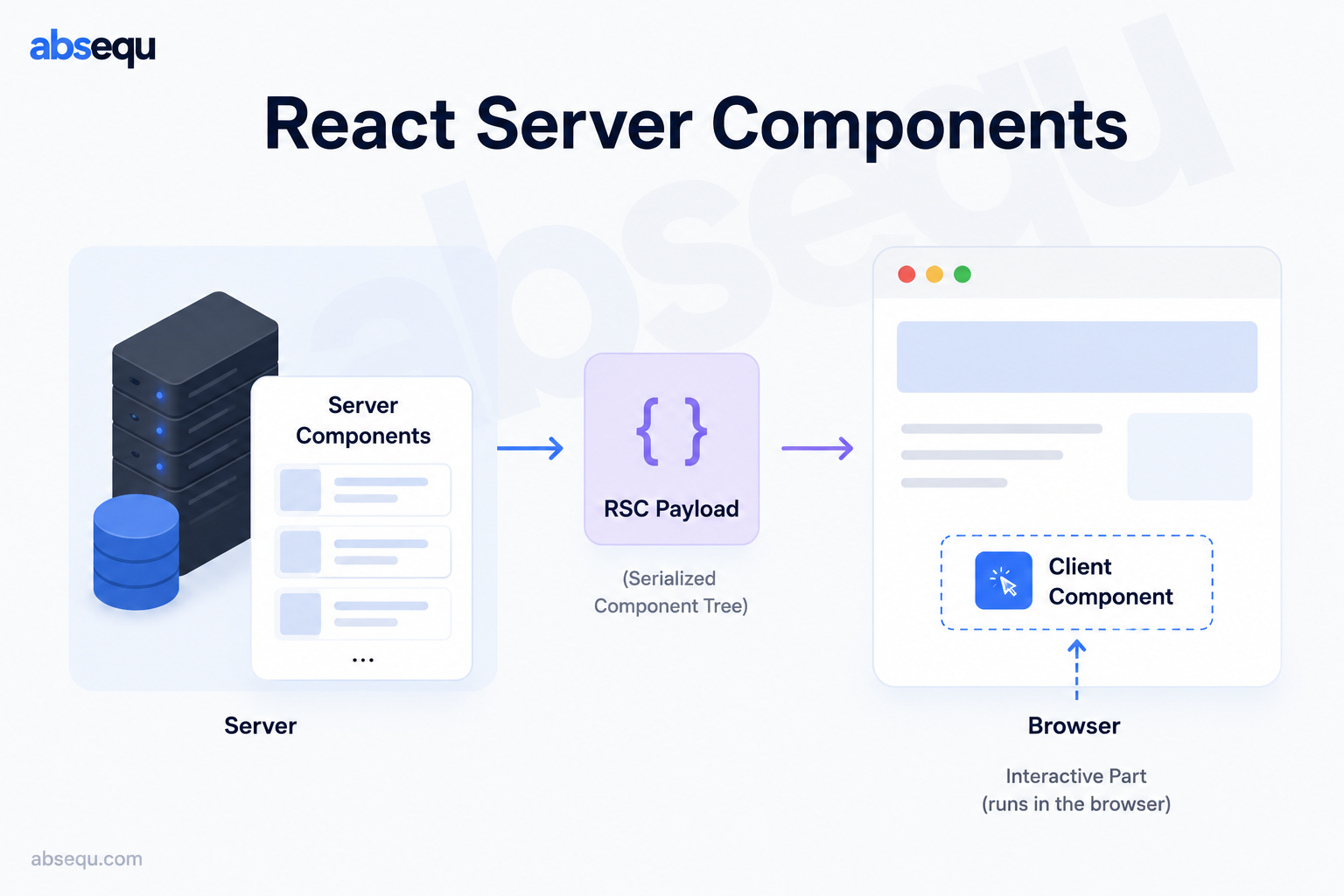
A product page often combines database-backed information with a small interactive control. Shipping the database layer to the browser is unnecessary, but turning the whole page into a client application is not the only alternative. React Server Components let a framework compose server-rendered information with explicit browser boundaries. This guide separates that programming model from HTML rendering, hydration and request authorization.
On this page
The mental model
A Server Component executes in a server environment chosen by its framework. Execution can happen during a build or while serving a request; the component name does not guarantee fresh data on every visit. Its implementation is excluded from the client component bundle, while its rendered output and serializable values can still reach the browser. Treat that output as public to the receiving user.
A Client Component supplies browser state, effects and event handlers. The use-client directive establishes a module boundary: its client dependencies join that graph. It does not mean that the framework can never render its initial HTML on a server. Server Components and server-side HTML rendering solve different problems, so measure both client JavaScript and the complete response lifecycle.
A practical workflow
Start by drawing the data ownership boundary. Load a product record in a server repository, check the current user's permission there, and construct a small view model. Pass only the title, price and identifiers needed by a client quantity selector. Keep database connection objects, access tokens and ordinary function callbacks on the server side.
Place the interactive boundary near the control rather than above the entire page. A client provider may receive server-rendered children without importing their server implementations. Conversely, importing a server repository from a client module is not made safe by a filename convention. Verify the import graph and inspect a production bundle when moving responsibilities.
Worked example
// Server Component in a Next.js App Router application
import Quantity from './Quantity';
import { loadVisibleProduct } from './products.server';
export default async function ProductPage() {
  const product = await loadVisibleProduct('example');
  return <section><h1>{product.title}</h1>
    <Quantity productId={product.id} />
  </section>;
}
// Quantity.tsx starts with 'use client' and owns its local state.
The repository in this sketch is an application boundary, not a built-in React API. Its authorization and data-loading behavior must be implemented and tested separately. The Quantity control receives a string identifier rather than the whole database record. A later mutation must authorize the operation again; seeing a product does not prove that a price-changing operation is permitted.
Use Suspense and framework loading/error boundaries deliberately for slow work. Independent requests can often start together, while a dependency chain may need sequencing. Do not hide a waterfall behind many tiny async components and assume it is fast. Record which work blocks the useful initial screen, and decide where a partial response is helpful.
Failure modes and security
Secrets can leak through props, rendered error messages, logs or cached responses even when server source code stays out of a bundle. Inspect serialized responses, not just source maps. Avoid mixing user-specific results into shared caches, and follow the installed Next.js version's documented cache semantics rather than assuming a historical default.
React 19 supports Server Components, but bundler integration APIs have different compatibility constraints from ordinary component APIs. Pin and review framework/React versions together. This repository's examples target React 19 and Next.js 16; they do not authorize changing dependencies or bypassing existing security advisories.
Practice and verification
Build a small catalogue page with one client filter and server-loaded product summaries. Inspect the HTML, the network payload and the JavaScript chunks separately. Test an unauthenticated request, an unauthorized record, a failed load and a slow response. Explain which values cross the boundary and why each is safe. Then move the filter boundary upward temporarily and compare the bundle: the exercise is to understand the tradeoff, not to maximize the number of Server Components.
References
React Server Components — React
Next.js server and client boundaries — Next.js